

Finding a compact printer for small home office space felt impossible for three years, until it wasn’t. Every time I needed to sign something or print a boarding pass, I’d walk to the print shop two streets over, mildly annoyed, telling myself it wasn’t worth the desk space. Then a remote job made that walk non-negotiable, and I discovered something: the printer market had quietly solved the exact problem that kept me avoiding it.
Why This Actually Matters
Small home offices don’t have room for a “just in case” printer, the bulky, all-purpose kind that sits half-used in a corner, taking up space it doesn’t earn. If you’re working with a distraction-free workspace carved out of a shared room, the printer you choose has to justify its footprint every single day. That’s a different question than “which printer is good,” and most buying guides never actually ask it.
What to Figure Out Before You Buy
The decision comes down to two questions, and getting them right upfront saves you from buying the wrong machine twice, which is what I did before landing on the one that stuck.
How often will you actually print?
This is the question that determines the technology, not the brand. If you’re printing weekly or less, you want either an inkjet with strong ink economy or a subscription-based ink service like HP Instant Ink, because occasional printing is exactly where standard inkjets fail. The nozzles dry out between uses, and you end up running a cleaning cycle that wastes more ink than the page you wanted to print. If you’re printing daily, or in real volume, a laser printer stops being optional. The toner doesn’t dry out, and the cost per page drops dramatically the more you use it.
Do you need scanning and copying, or just printing?
All-in-one models are only marginally bigger than print-only ones now, and the extra function, scanning a signed lease, copying an ID, comes up more often than you’d expect in a home office. Unless space is genuinely down to the last inch, I’d default to all-in-one.
What Actually Works: Compact Printer for Small Home Office
Here’s what actually held up, across price points and use cases, once I’d narrowed it down using those two questions.
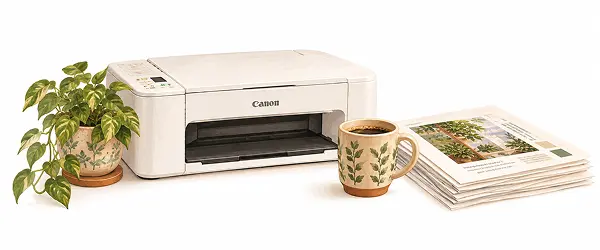
The Canon PIXMA I bought has been on the corner of my desk for eighteen months now, it’s since been discontinued, which is a reminder that even a good buying decision needs revisiting occasionally. A compact printer for a small home office needs to earn its space, though, and if you’re shopping today, the TS3750i is Canon’s direct replacement, with the same compact footprint and the same reasoning behind it.
If “occasional” means truly occasional, under 50 pages a month, the HP Tango or HP Envy Inspire paired with the HP Instant Ink subscription solves the drying-cartridge problem directly. Cartridges get replaced on a schedule before they dry out, and the subscription cost is often lower than buying cartridges outright at that volume.
For anyone printing regularly, contracts, invoices, class materials, the Brother HL-L2350DW earned its place on my list after I watched a friend run hers for two years without a single jam. It’s a monochrome laser, compact enough for a shelf, wireless, and priced around 110–130 euros. The toner lasts thousands of pages, and it never dries out sitting idle over a slow week.
And if volume is genuinely high, the Epson EcoTank ET-2850 changes the math entirely. It uses refillable tanks instead of cartridges, so the cost per page drops to nearly nothing once you’re past the initial investment of 200–250 euros. It’s the least “small office” of the four in upfront cost, but the cheapest to live with long-term.
Where to Actually Put It
A printer doesn’t have to live on the desk to be convenient. A floating shelf above the workspace keeps WiFi printing just as accessible while freeing the surface entirely, the same logic behind keeping cables tucked and the desk itself clear. A small rolling cart works if you want it out of sight until needed. And if you’ve got a deep cabinet or wardrobe nearby, keeping the printer connected but tucked away works fine too, WiFi doesn’t care where the box physically sits.
The Mistake I Made First
I bought a mid-range all-in-one on sale without asking myself the frequency question. It was cheap, it looked fine in photos, and it sat unused for six weeks at a time, which is exactly the pattern that kills inkjet print heads. By the time I needed it for something urgent, it needed a cleaning cycle, then another, and I ended up back at the print shop anyway. The lesson wasn’t about the printer. It was about matching the technology to how I actually work, not how I imagined I would, the same recalibration I had to do with my keyboard and mouse setup when I realized I’d bought for looks instead of how my hands actually move through a workday.
The Canon PIXMA that replaced it has been on the corner of my desk for eighteen months now. It’s printed contracts, boarding passes, reference documents, and more recipes than I’d like to admit. It’s smaller than I expected, quieter than anything I’d owned before, and it has needed exactly zero troubleshooting.
The right compact printer for a small home office was never about having the most features. It’s about the one that earns its space, and now, that combination is easier to find than it used to be.
About Olivia
Olivia Knows Things is the editorial voice behind this blog, created to share practical, tested ideas that help people create beautiful, comfortable, and sustainable homes.